ELD & Carrier Technology
Motive vs Samsara vs Garmin eLog: ELD Comparison for Owner-Operators
Three FMCSA-listed options, three very different operating models. Compare transfer methods, workflows, pricing, and the questions a one-truck carrier should ask before signing.
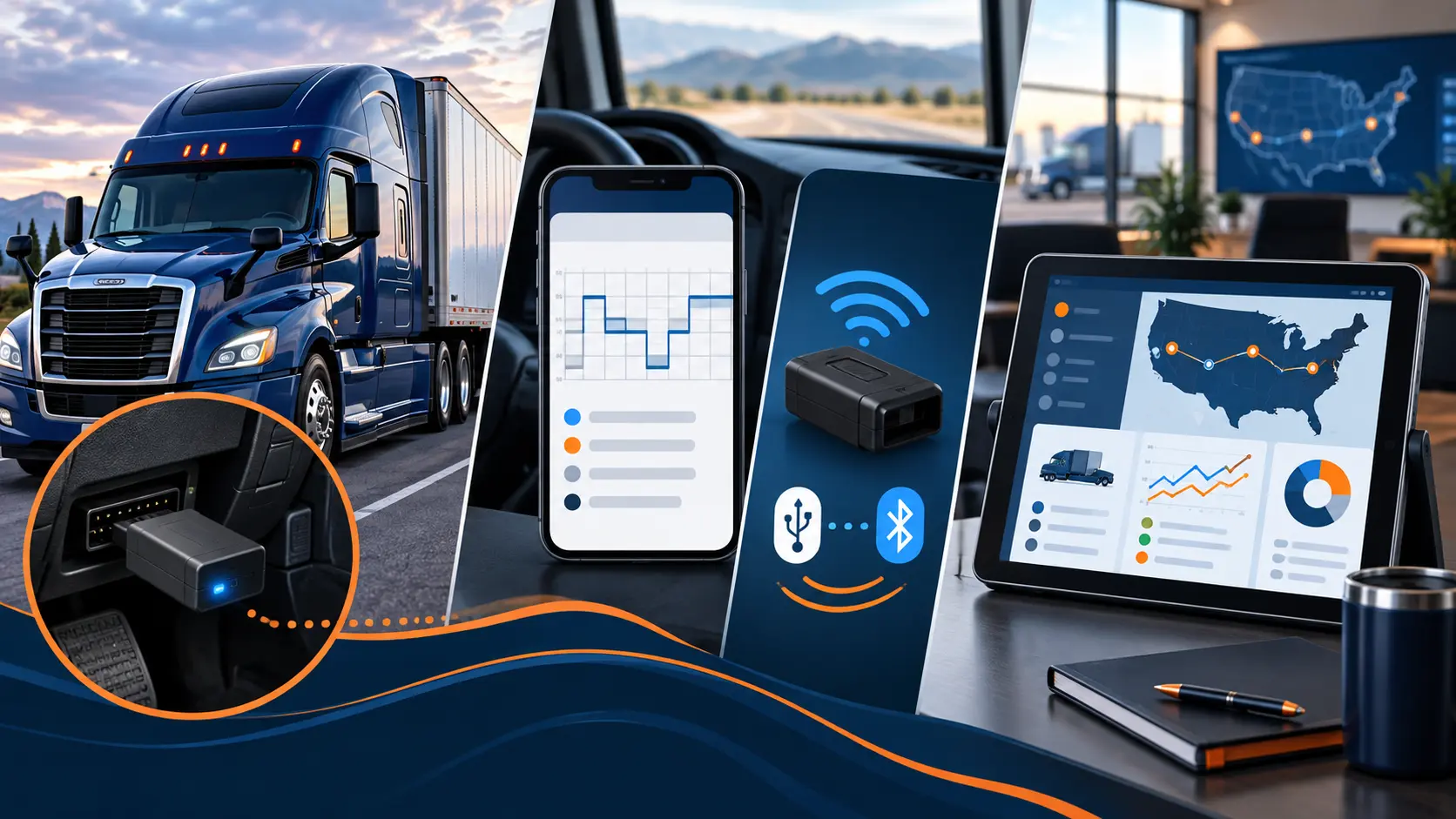
Choosing an electronic logging device is not simply a contest between brand names. Motive and Samsara sell connected platforms built around a vehicle gateway, driver app, cloud dashboard, and optional business tools. Garmin eLog takes a narrower approach: a local adapter and mobile app with no ongoing subscription advertised by Garmin. The right fit depends on whether the carrier needs only compliant logs or a broader operating system.
We reviewed current manufacturer information and the official FMCSA registered ELD list on September 9, 2026. Registration means the manufacturer has self-certified that its device meets the technical specifications; FMCSA states that listing is not a federal endorsement. Confirm a device remains listed immediately before purchase and periodically afterward.
At-a-glance ELD comparison
| Option | Operating model | Roadside transfer | Pricing model | Profile to evaluate |
|---|---|---|---|---|
| Motive ELD | Connected gateway, Driver App, and fleet dashboard | Telematics: web services and email | Exact current price requires a quote | Carrier wanting logs plus dispatch, documents, DVIR, and back-office visibility |
| Samsara ELD | Connected Vehicle Gateway, Driver App, and cloud platform | Telematics: web services and email | Exact current price requires a quote | Carrier evaluating ELD with telematics, workflows, and platform integrations |
| Garmin eLog | Local adapter with compatible mobile app | Local: USB and Bluetooth | One-time hardware; Garmin advertises no subscription | Driver prioritizing simple local logging without a monthly ELD platform |
Not a ranking or buying recommendation. Hardware compatibility, quoted terms, support, and current FMCSA status should decide the final choice.
1. What FMCSA registration tells you—and what it does not
The federal list identifies Motive ELD under registration ID MOTIVE, Samsara ELD under SAMELD, and Garmin eLog under GE1I01/GE1A01. Motive and Samsara use telematics transfer through web services and email. Garmin uses local USB and Bluetooth transfer. Each approach can support roadside inspection when installed and operated correctly, but the driver workflow is different.
A listing does not verify service quality, contract value, hardware life, or compatibility with every truck. It also does not protect a carrier if the device is later revoked. FMCSA advises carriers using a removed device to replace it within the announced transition period. Keep a fallback process and review our revoked-ELD replacement checklist.
2. Motive: connected logs plus carrier workflows
Motive pairs its Vehicle Gateway with the Motive Driver App. According to the official app information, the app supports hours-of-service clocks and alerts, inspection mode, dispatch tasks, messages, document uploads, fuel-receipt capture, and driver vehicle inspection reports. When a driver is dispatched, vehicle location can be available through the fleet dashboard. Motive also advertises 24/7 support.
That makes Motive worth evaluating when a small carrier wants logs and routine operating work in one connected system. The tradeoff is that the real cost cannot be judged from the ELD feature list alone. Motive does not publish one universal current price for every configuration on the official material reviewed, so obtain a written quote that separates gateway hardware, monthly software, cellular service, accessories, contract length, and optional modules.
3. Samsara: ELD inside a broader connected-operations platform
Samsara combines a Vehicle Gateway, Driver App, and cloud dashboard. Its official ELD page describes diagnostic-port installation, driver duty clocks and alerts, inspection mode, log management, DVIR workflows, real-time fleet information, and integrations with a wider platform. The gateway can provide a Wi-Fi hotspot when the selected plan and configuration support it.
Samsara may deserve a close look when a carrier expects to add telematics or structured workflows beyond basic logs. But buying a platform only makes sense if the carrier will use those capabilities. Exact current pricing is presented through a sales process rather than one public all-in number, so request a quote showing hardware, licenses, connectivity, installation, minimum term, renewal, and the price of every proposed add-on.
4. Garmin eLog: a focused, local-transfer alternative
Garmin eLog is built around an adapter that connects to a compatible heavy-truck diagnostic port and communicates with the Garmin eLog mobile app. Garmin lists support for common 6-pin J1708 and 9-pin J1939 ports, while stating that OBD-II J1979 is not supported. Its current product information describes local roadside transfer by USB or Bluetooth.
Garmin announced the device as a one-time purchase with no subscription, which can appeal to an owner-operator who wants a dedicated logbook without a monthly fleet platform. Confirm current retail availability, exact price, cable and port compatibility, supported phone or tablet, app updates, warranty, and support before relying on it. A simple ELD may reduce recurring software expense, but it will not automatically replace cloud dispatch, live fleet visibility, document workflows, or other back-office tools.
5. Calculate the full contract cost, not the advertised starting point
Ask each vendor to put the complete financial terms in writing. Compare the same period—ideally total cost over the full initial contract—using this checklist:
- Gateway or adapter price
- Activation and installation
- Monthly software and data fees
- Phone, tablet, mount, or cable needs
- Minimum term and automatic renewal
- Cancellation or early-termination charges
- Warranty and replacement hardware
- Support and after-hours availability
- Optional module charges
- Data access after cancellation
For a single truck, one unused add-on or an inflexible multi-year agreement can matter more than a small difference in the headline monthly rate. Keep the proposal, order form, terms, and renewal date together before signing.
6. Test the driver workflow before committing
A compliant device can still be a poor operational fit. Ask for a live demonstration using the same phone or tablet type the driver will carry. Test login, duty-status changes, annotations, edits, unassigned driving, team-driver operation if applicable, personal-conveyance and yard-move settings, roadside inspection, and data transfer.
Also test what happens without cellular service, after a phone restart, and when the gateway loses power. Confirm how the carrier retrieves the required records and how support handles a malfunction. If the vendor advertises fuel-tax or mileage reports, verify which jurisdictions, distance fields, fuel records, exports, and correction tools are included rather than assuming “IFTA” means a filing-ready report. Our Texas IFTA recordkeeping guide explains the underlying records a carrier still needs.
7. A practical decision framework for a one-truck carrier
- 1
Define the minimum job
Decide whether you need compliant logs only or also dispatch, live visibility, documents, DVIR, fuel reporting, cameras, or maintenance workflows.
- 2
Confirm truck and device compatibility
Provide the truck year, make, model, engine, diagnostic-port type, and intended phone or tablet to the vendor in writing.
- 3
Verify the exact product
Match the product and registration ID to the current FMCSA list—not merely a similar brand name.
- 4
Run a real demonstration
Make the driver complete a mock shift, edit, annotation, inspection, and transfer before the return period ends.
- 5
Compare all-in contract cost
Include every hardware, license, data, accessory, support, renewal, and cancellation cost.
- 6
Document the backup plan
Keep instructions, malfunction procedures, blank logs, support details, and the required records accessible in the cab.
The bottom line
Motive and Samsara are connected platforms that can combine ELD compliance with broader carrier workflows. Garmin eLog is a more focused local option that Garmin advertises without a subscription. None is automatically the right choice for every owner-operator. Start with the work your business actually needs, verify the exact FMCSA listing and truck compatibility, test the driver experience, and compare the full written contract.
For professional dry-van freight service with ONENESS TRANSPORT LLC, call 512-363-3649 or email dispatch@onenesstransport.com.
Information reviewed September 9, 2026. ONENESS TRANSPORT has no paid relationship with the vendors discussed. Vendor names identify products only. Features, prices, availability, terms, and federal registration can change. This article is general information, not legal, compliance, tax, or purchasing advice.